 Auroracast Tab
Your screen came with a card. Start there.
Type the code from the card and your Auroracast screen becomes yours, with everything already set up.
Your device code. Keep this card, you will need it if the screen is ever reset.
- 1
Plug it in and join your Wi-Fi.
- 2
Enter the code from the card.
- 3
Tick what you want on it.
Auroracast is always on. Add what you like.
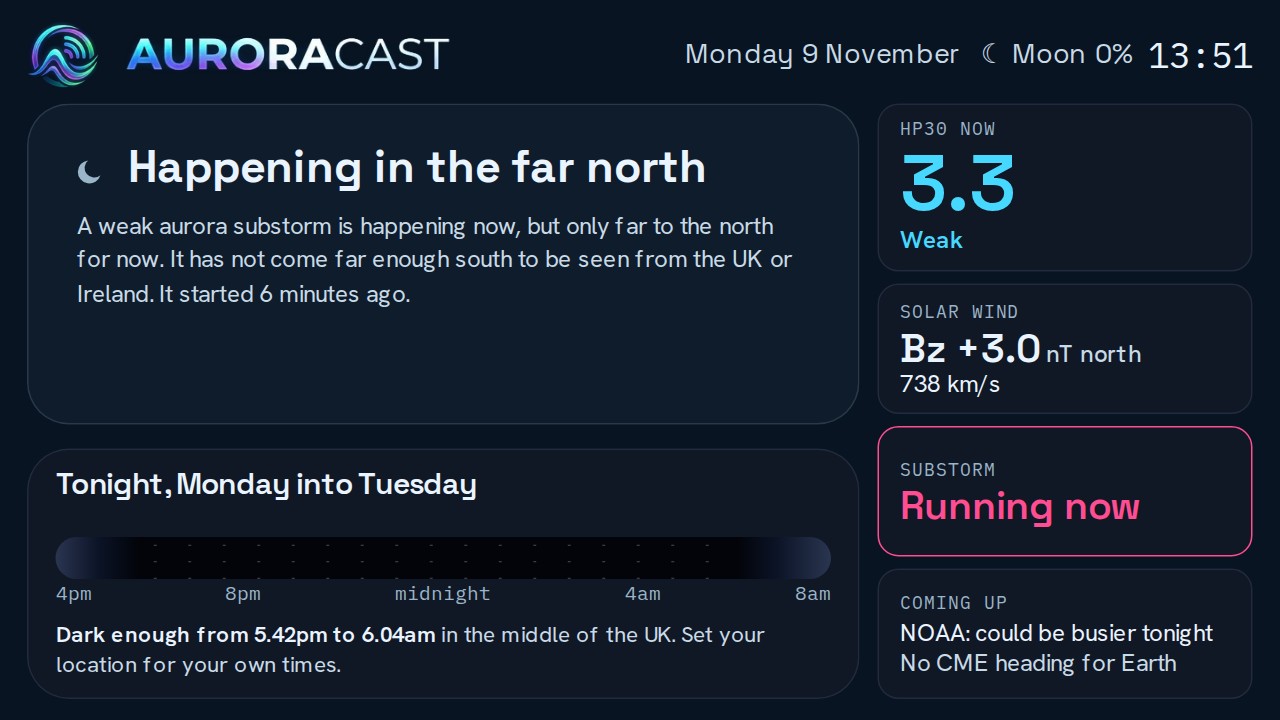
Tonight's chances, the solar wind and a big alert when a substorm starts stay on every screen. Switch the rest on or off whenever you want.
Radio
Internet radio stations through the speaker.
Music
Your own songs from a memory card or USB stick.
Photos
Pictures from your phone, shown whole.
Games
Classic games on the touch screen.
Weather
The forecast for your place, now and for five days.
Clock
A big clock, an alarm and a timer.
Night dimming
Dims itself late at night.
On your TV
The same Auroracast screen on a smart TV.
If it is ever reset
Everything about your screen is kept with your account, not on the screen. If it gets wiped, put Auroracast back on it from this site and it finds its way home, with your choices as they were.
The code on it is how your screen is recognised.